
Free for Android
Know where your money went.
And who owes what.
Splitbook is an expense tracker and a bill splitter in one app — and it works with the friends who never got round to installing it.
- No selling your data
- Works with no signal
- Over 150 currencies
Tracking
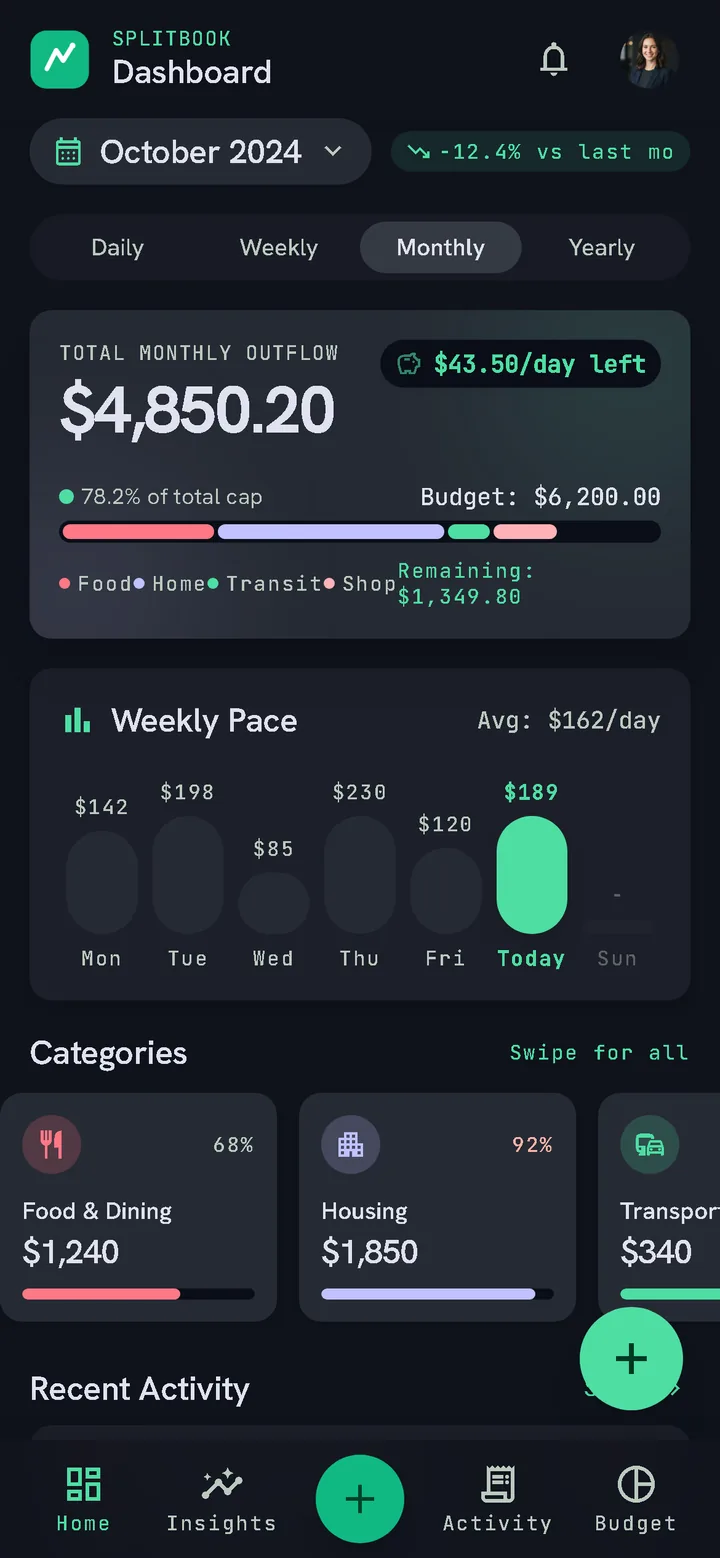
A budget that follows your payday
Log an expense in seconds — amount, category, merchant, a note, a photo of the receipt if you want one. Set a cap per category or measure spending against your monthly income, and Splitbook works out what you can safely spend per day for the rest of the month.
Your financial month does not have to start on the 1st. If you are paid on the 25th, set that as your cycle start and every total, budget and projection follows it.
Splitting
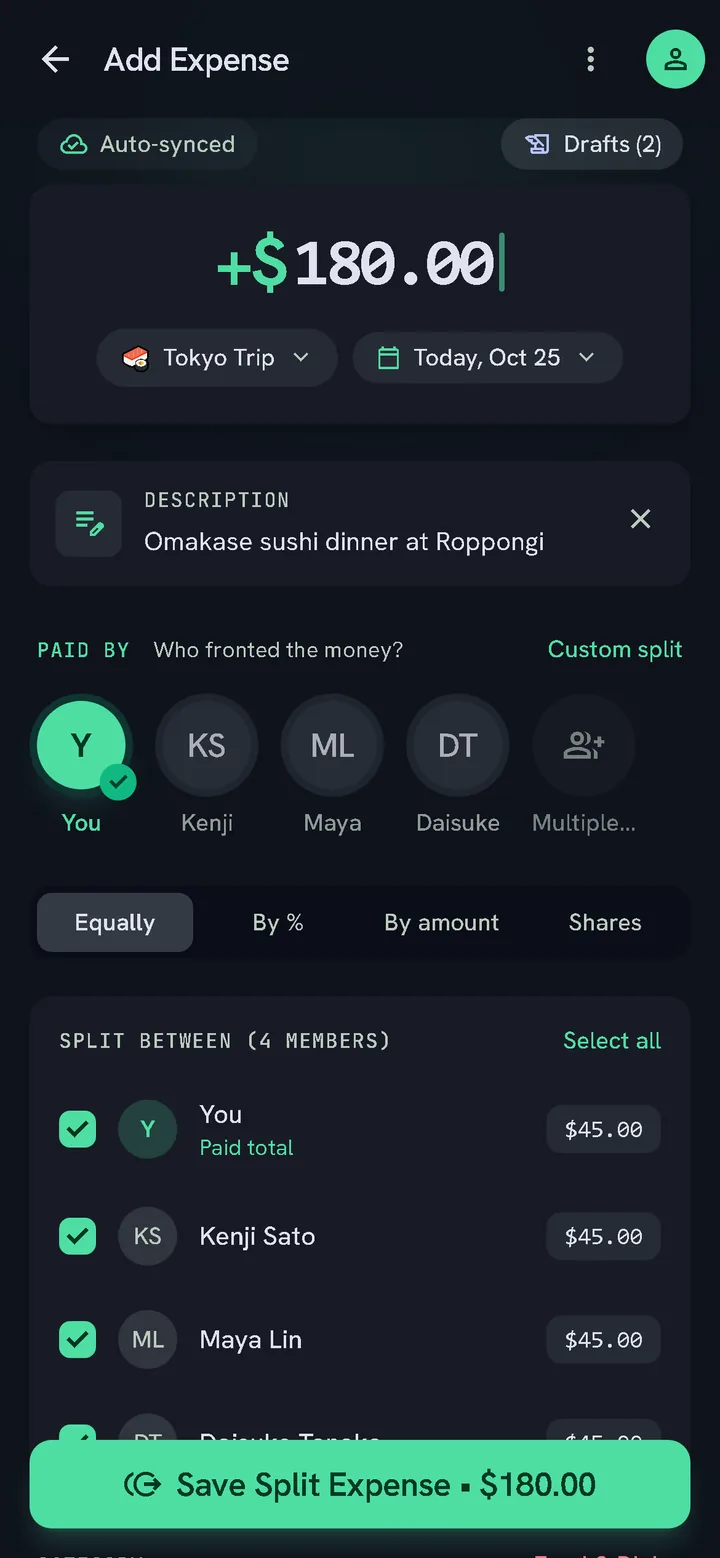
Split it equally, or exactly
Share an expense with one person or a whole group. Split it equally, by exact amounts, by percentage or by shares — Splitbook does the arithmetic and tells each person what they owe, down to the last unit.
When it is time to settle up, it works out the fewest payments that clear everyone's debts. Three people owing each other in a circle usually becomes one payment, not three.
The part other apps get wrong
Even friends who don't have the app
Most splitting apps are useless until everybody installs them. Splitbook is not.
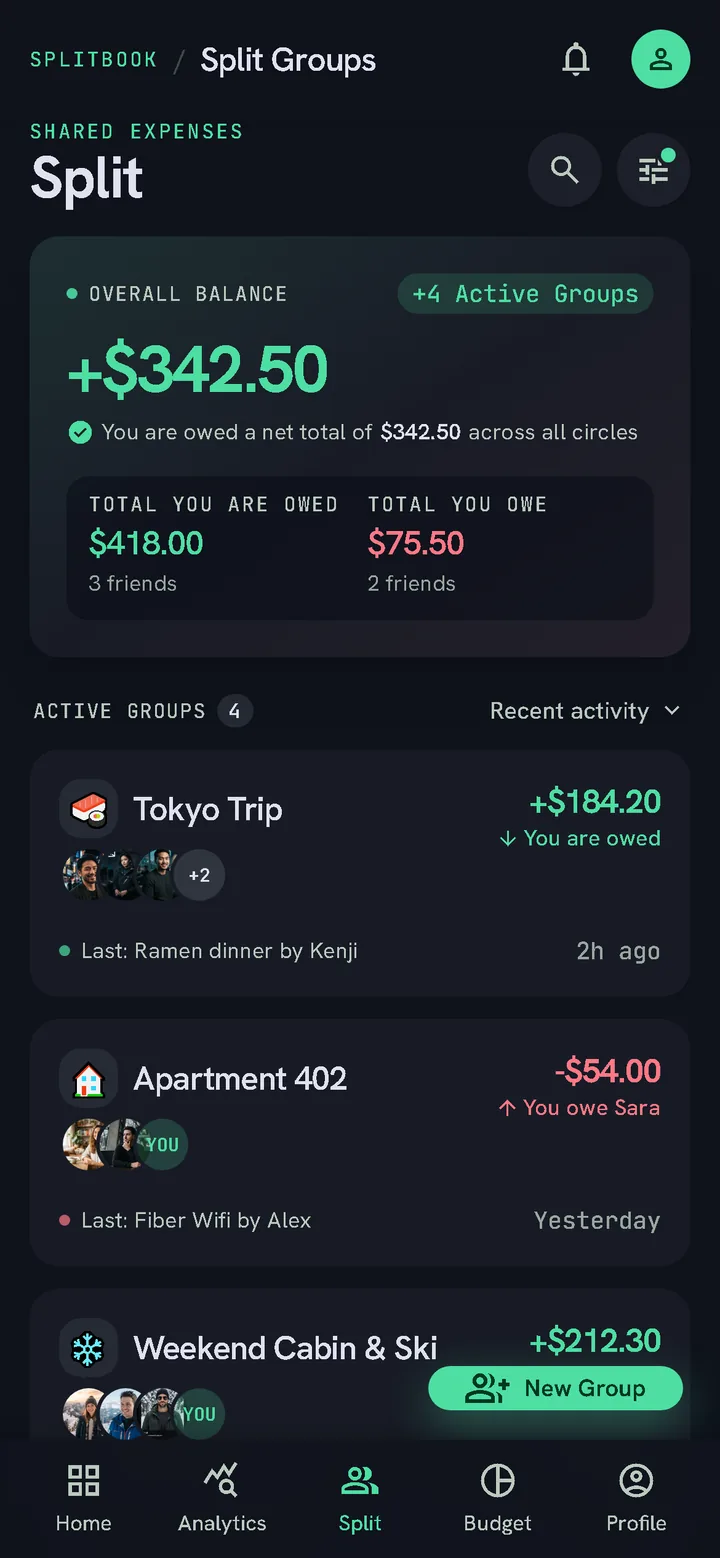
Add someone by name, and you keep the ledger for them. Their shares, their payments and their balance all work exactly as they would for a real account. When you want them to see where things stand, send them the statement.
Add them to a group and every member sees the same names and the same balances. The group's creator records their payments, so the books stay straight even when half the table never installed anything.
And the rest of it
A Khata for every debt
Not every debt is a shared bill. Keep a running ledger with anyone, with two buttons: what you gave and what you got. The balance updates as you go, and the statement shows every entry. In Pakistan, India, Bangladesh and Nepal it is called Khata; everywhere else, Debit.
Live on every phone
When a friend adds a bill or records a payment, your balances change on the spot, with no refresh. You get a notification for anything that involves you, and nobody else hears about it.
Send the statement, not a screenshot
Export any group or person as a clean PDF or image and share it anywhere. It lists what everyone spent, what everyone owes, the payments already made and the payments that would settle it. Every statement carries a checksum, so two copies of the same figures are provably the same document.
Works without signal
Enter expenses on a plane, in a basement, anywhere. Everything is saved on your device and uploads by itself when you are back online. Nothing is lost and nothing has to be retyped.
A private ledger
Keep selected expenses behind a PIN, hidden from every other screen — counted in your balance, invisible everywhere else. Lock the app itself with your fingerprint or face.
Anywhere in the world
Over 150 currencies, formatted the way each one should be — including the ones with no decimal places. Splitbook suggests your local one on first launch; change it to whatever fits your life.
No account required
Guest mode keeps everything on your phone and uploads nothing at all. Sign in later if you want to split with other people, or never.
Your history, exportable
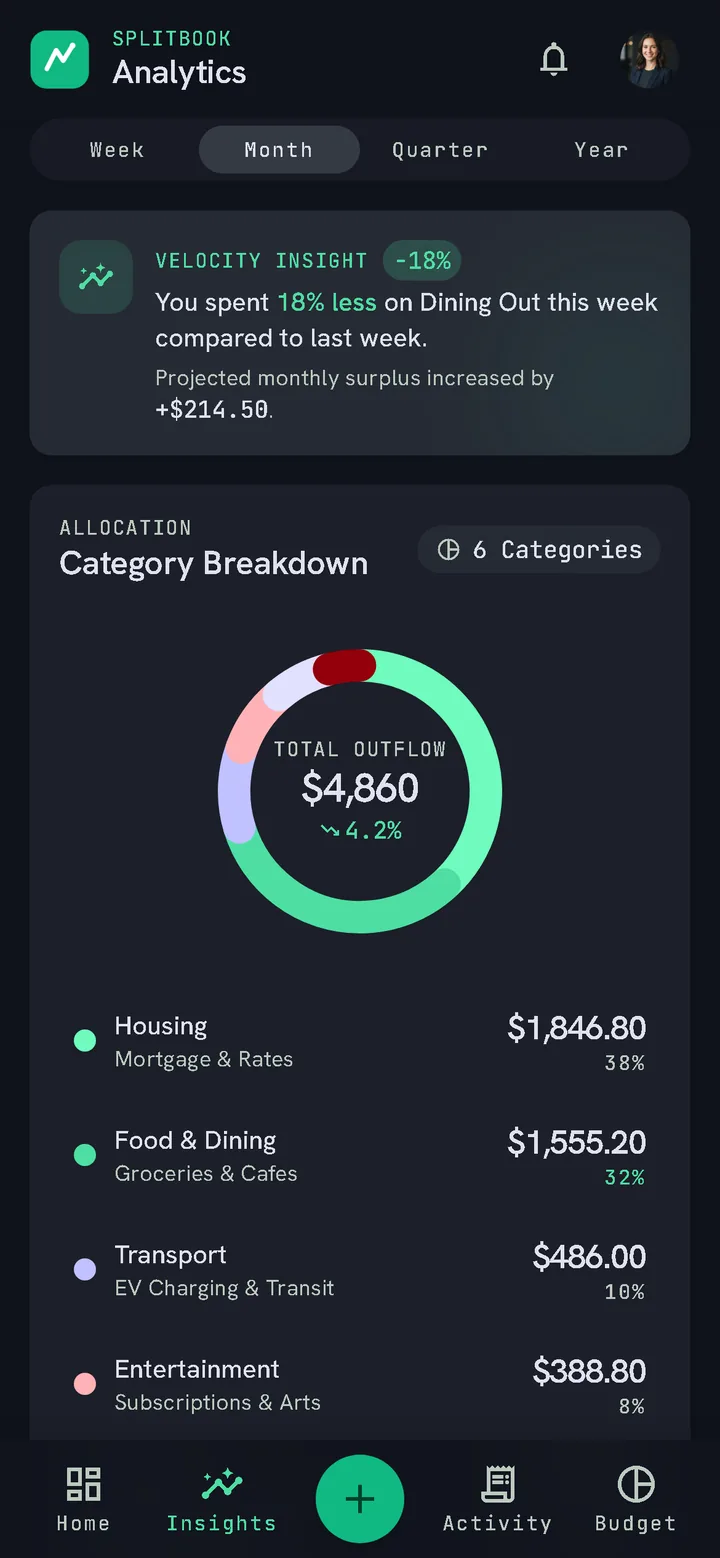
Search and filter everything you have ever logged, and take it out as CSV or PDF whenever you like. It is your data and it leaves in a format other things can read.
Your money stays your business.
Nothing about your spending is sold, shared or profiled. We count installs and app opens with Google Firebase Analytics, never what you record. The app is free and shows a few ads from Google AdMob; they never see anything you record either.
Splitbook is not a bank or a wallet. It records who owes what and never moves money. It has no access to any payment rail and never asks for card numbers or bank logins.
Questions
Does everyone in my group need the app?
No. You can add someone by name and keep their ledger yourself — their shares, payments and balance all behave the same way. In a group, every member sees them by name, and the group's creator records their payments. Send them a PDF or image statement when they want to see it. If they do install the app later, they can join the group properly.
What is the Khata (Debit) tab?
A one-on-one ledger for money lent and borrowed outside any bill. Tap what you gave or what you got, and Splitbook keeps the running balance. It works with app users, connected by invite code, and with people you add by name.
Is it really free?
Yes, and every feature on this page is included. There is no paid tier, no subscription and no advertising.
Does it connect to my bank?
No, and it cannot. Splitbook has no connection to any bank or payment provider and never asks for card numbers or banking logins. You enter what you spent; it does the arithmetic.
What happens if I have no internet?
Everything keeps working. Entries are saved on your device and upload by themselves once you are back online.
Can I use it without making an account?
Yes. Guest mode keeps everything on your phone and uploads nothing. You only need an account to share expenses with other Splitbook users.
How do I delete my account and data?
In the app: Settings, then "Delete my account". It is erased immediately. Full details, including what happens to expenses you shared with other people, are on the account deletion page.
Start with this month.
Free, and it works before anyone else installs anything.
Get it on Google Play